Crafting Digital Experiences That Drive Results
A team of 15 senior engineers, designers, and strategists who dig deep into complex problems to build digital products that drive real business growth.
A Team Built to Deliver
LogicDigger is a results-driven digital agency with 15+ years of combined team experience. We bring together senior frontend engineers, backend architects, UI/UX designers, and DevOps specialists to deliver production-grade digital solutions.
Our name says it all — we dig deep into the logic behind every problem. Every project gets a dedicated cross-functional team that combines design thinking with engineering rigor, ensuring we ship products that are both beautiful and bulletproof.
The LogicDigger Journey
Full-Service Digital Agency
LogicDigger
Operating as a full-service digital agency with 15 specialists across frontend, backend, design, and DevOps. Delivering production-grade solutions for startups and enterprises. Expanded into AI-powered products.
Scaled to Cloud & DevOps
LogicDigger
Grew the team to include dedicated DevOps and cloud architects. Built CI/CD pipelines, containerized microservices, and auto-scaling infrastructure for 20+ production deployments.
Design & Frontend Studio
LogicDigger
Launched our UI/UX design practice with a focus on conversion-driven interfaces. Delivered 35+ projects including SaaS dashboards, e-commerce platforms, and corporate rebrands.
Full-Stack Development Team
LogicDigger
Built the core engineering team of 5 developers. Specialized in high-traffic web applications and real-time SaaS platforms processing millions of API requests daily.
Web Development Studio
LogicDigger
Established as a focused web development studio driven by a mission to dig deep into complex problems. Built a reputation for clean, performant applications and steadily grew to a 4-person team delivering solutions for early-stage startups.
The Beginning
LogicDigger
Started with a belief: great software is built by teams that think logically and design beautifully. Our first project — a real estate platform — became our founding case study.
WordPress Services
Expert WordPress bug fixing, maintenance, and optimization services. We keep your site secure, fast, and running flawlessly 24/7.
Malware Cleanup & Removal
Complete malware removal and cleanup for hacked WordPress sites. We eliminate viruses, backdoors, phishing pages, and malicious code — then harden your site to prevent reinfection.
Bug Fixing & Troubleshooting
Expert WordPress debugging and error resolution. We fix PHP errors, white screen of death, plugin conflicts, and any issue breaking your site.
Speed & Performance Optimization
Dramatically improve your WordPress site speed. We optimize Core Web Vitals, reduce load times, and implement advanced caching strategies.
Security Hardening
Fortify your WordPress site against attacks. We implement WAF, brute-force protection, and enterprise-grade security measures.
WordPress Migration
Seamless WordPress migration between hosts, domains, or servers. Zero downtime with complete data integrity guaranteed.
Backup & Disaster Recovery
Automated backup solutions and rapid disaster recovery. Protect your WordPress site with scheduled backups and one-click restore.
SEO Optimization
Technical and on-page SEO for WordPress. We optimize site structure, schema markup, and search engine visibility.
Theme Customization & Development
Custom WordPress theme modifications and bespoke theme development. Pixel-perfect designs that match your brand.
Plugin Development
Custom WordPress plugin development tailored to your exact requirements. Extend WordPress functionality without compromises.
Responsive Design Fixes
Make your WordPress site mobile-friendly and responsive. Fix layout issues across all devices and screen sizes.
WooCommerce Support
Expert WooCommerce troubleshooting and optimization. Fix checkout errors, payment gateways, and boost conversion rates.
Ongoing Maintenance Plans
White-label WordPress maintenance plans with regular updates, monitoring, and priority support. Keep your site healthy 24/7.
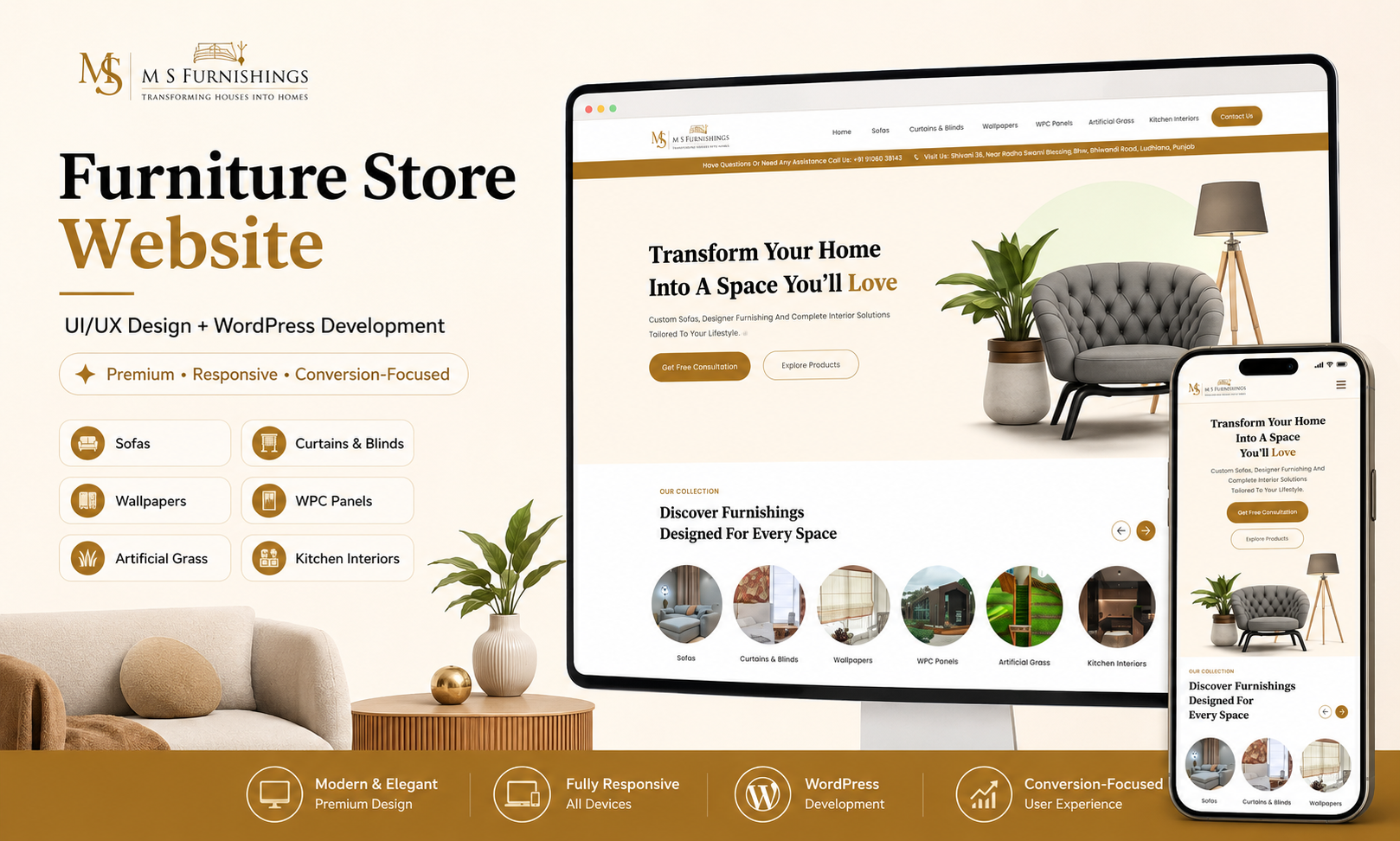
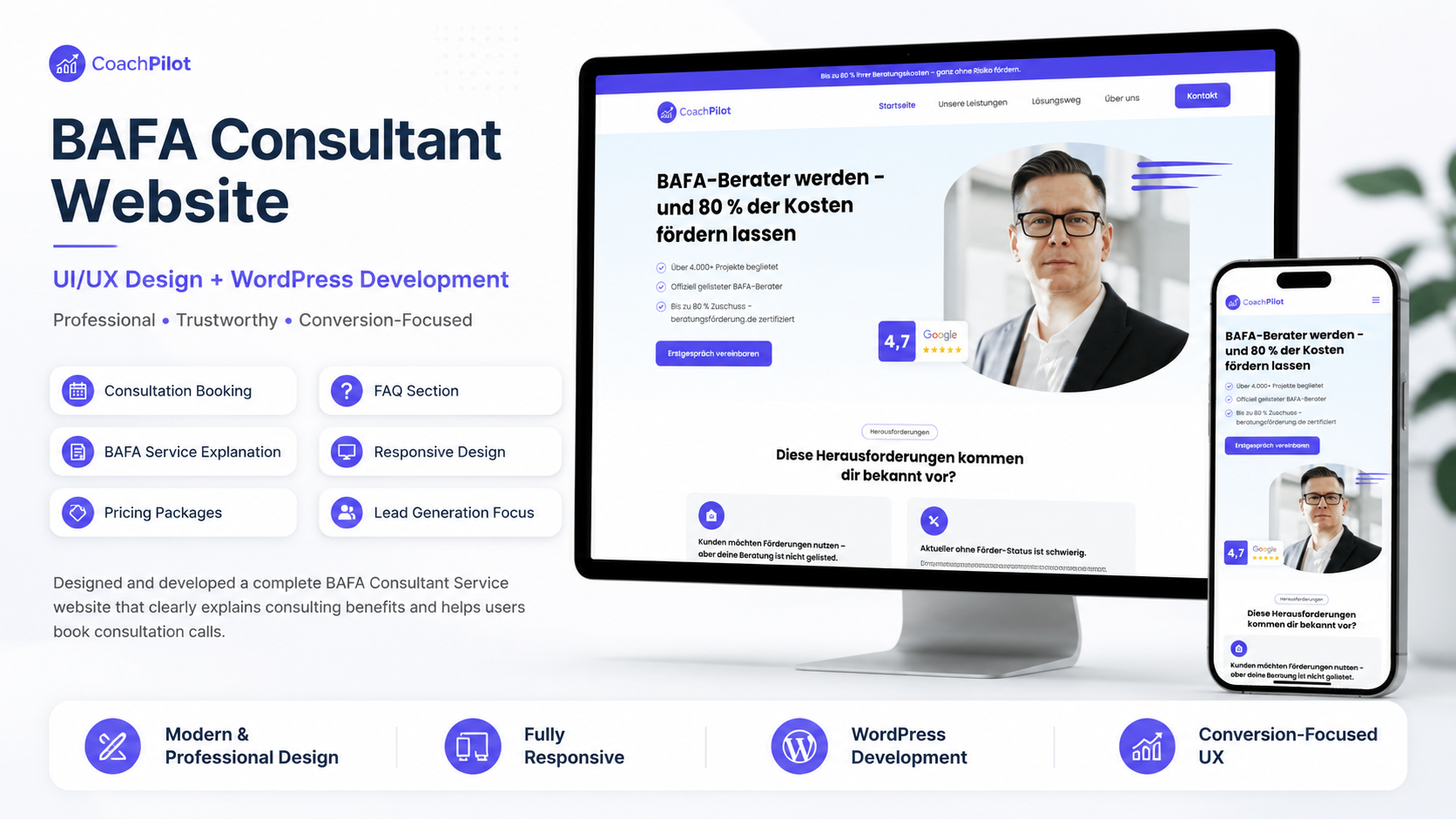
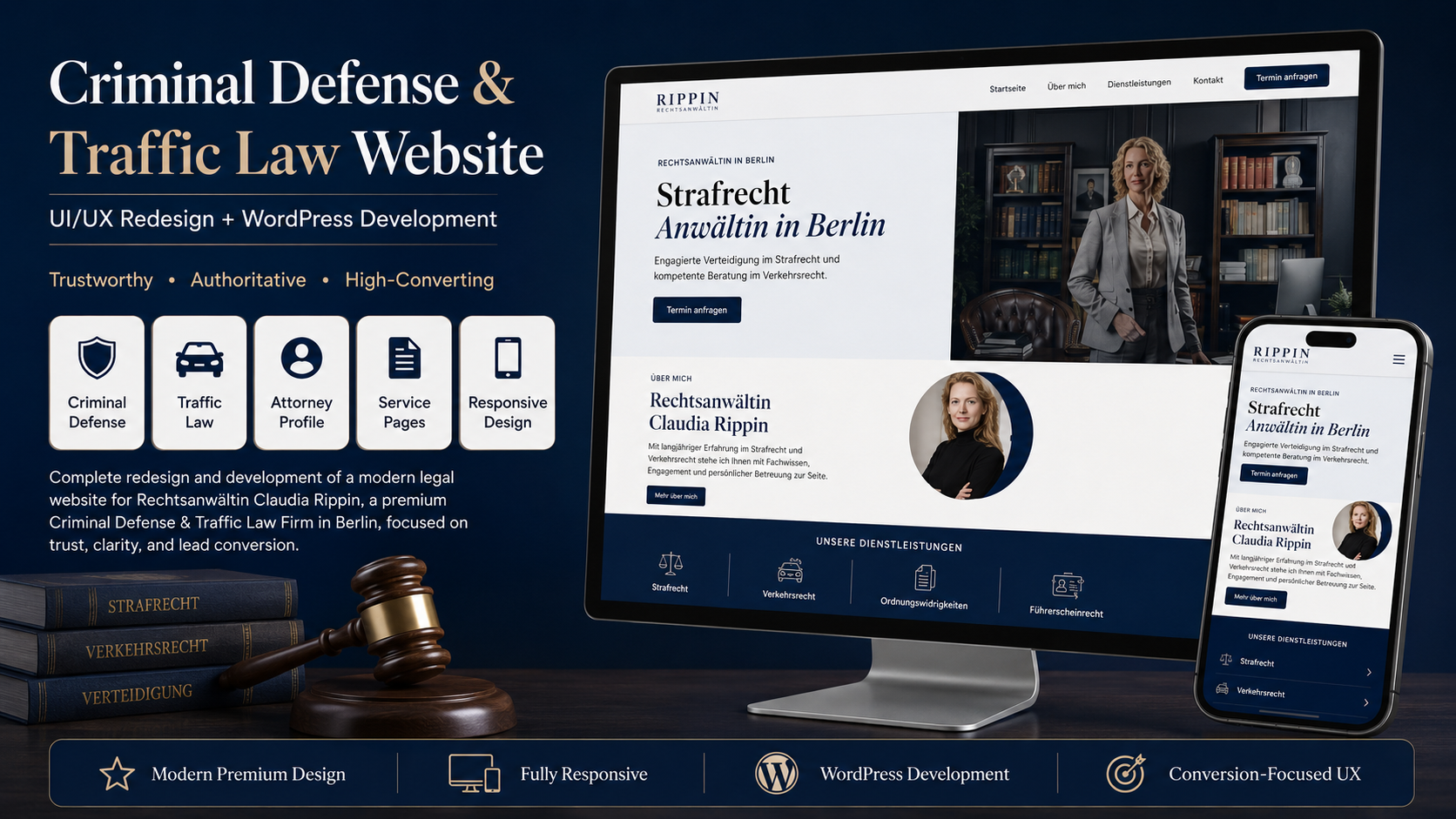
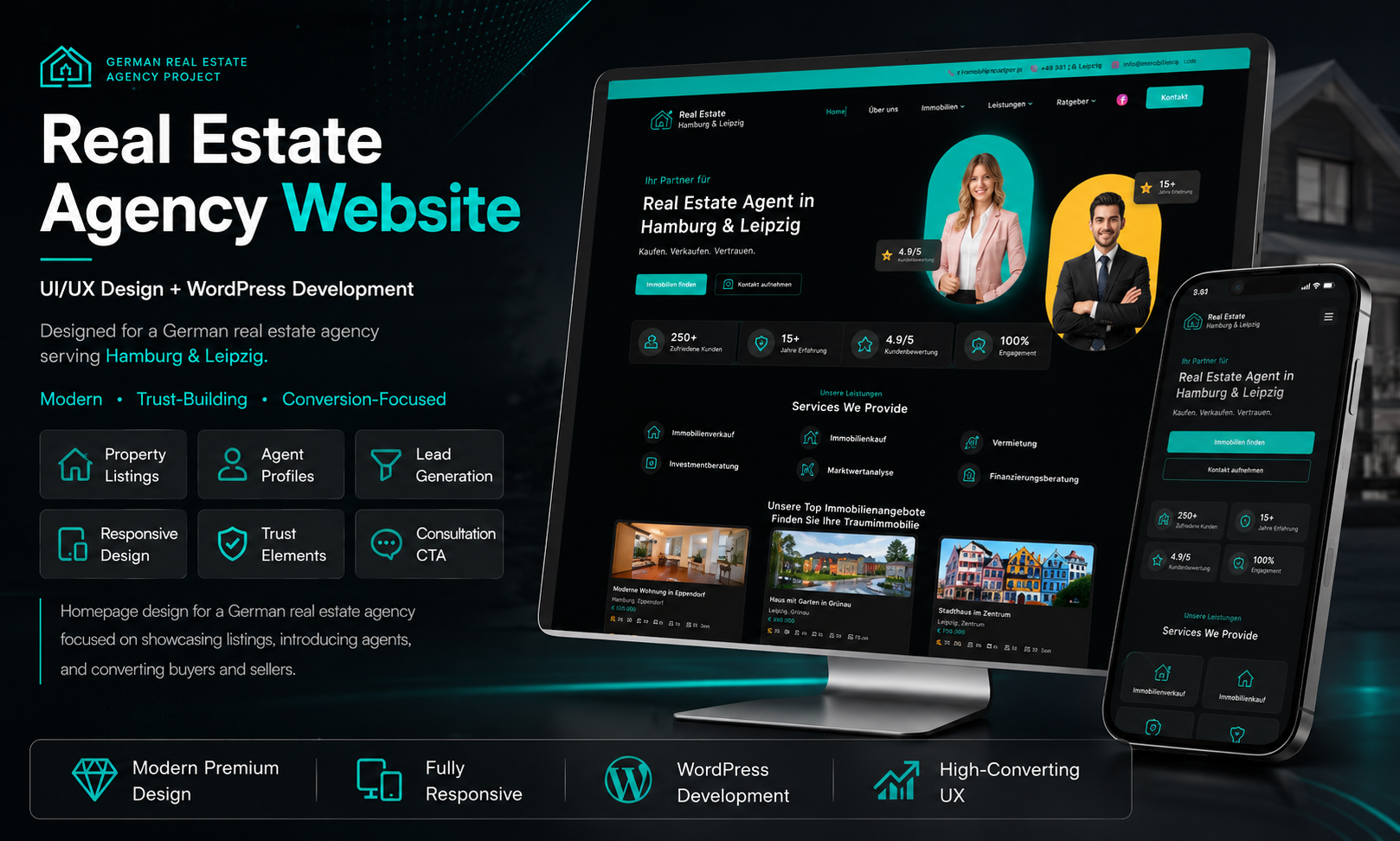
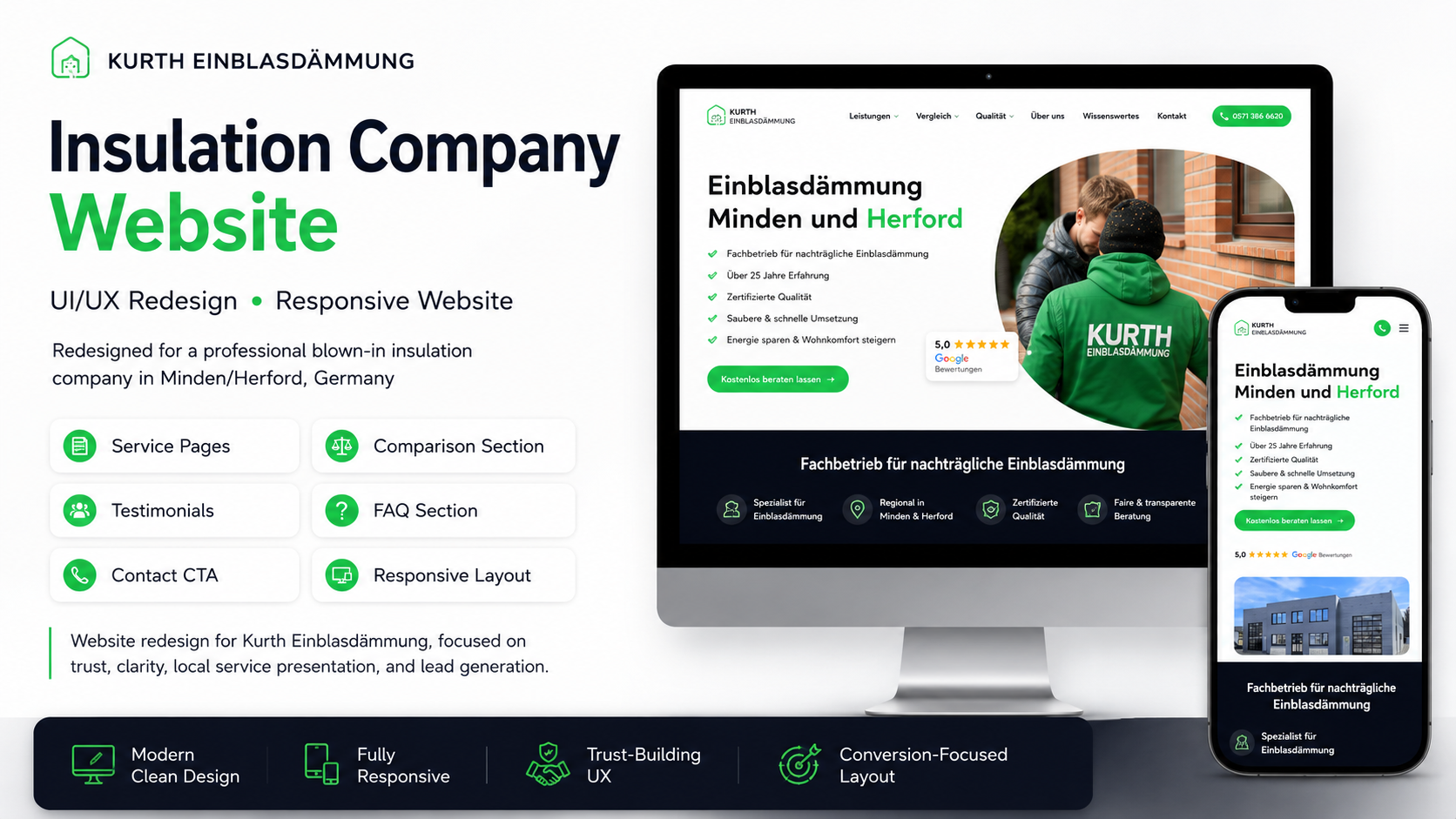
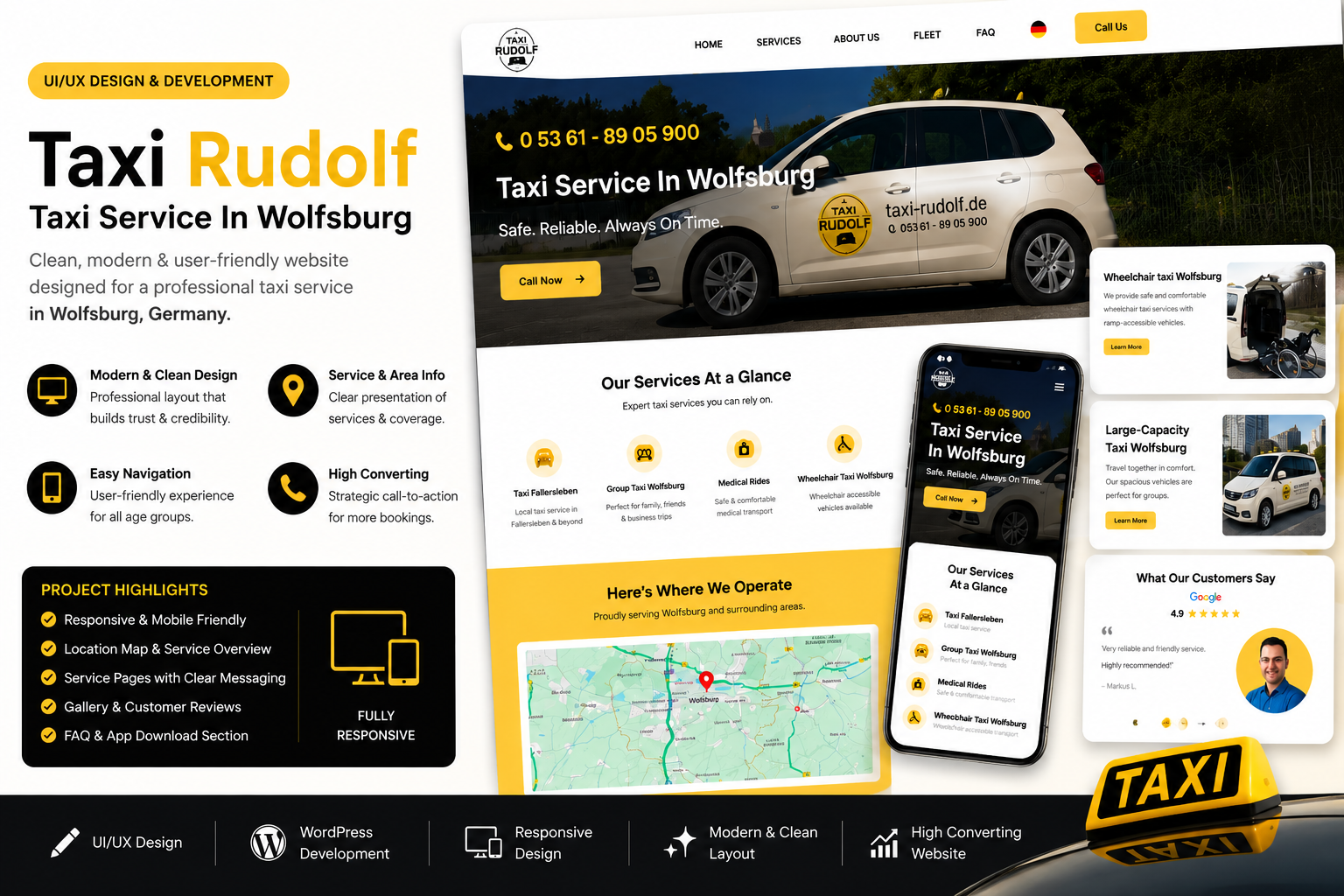
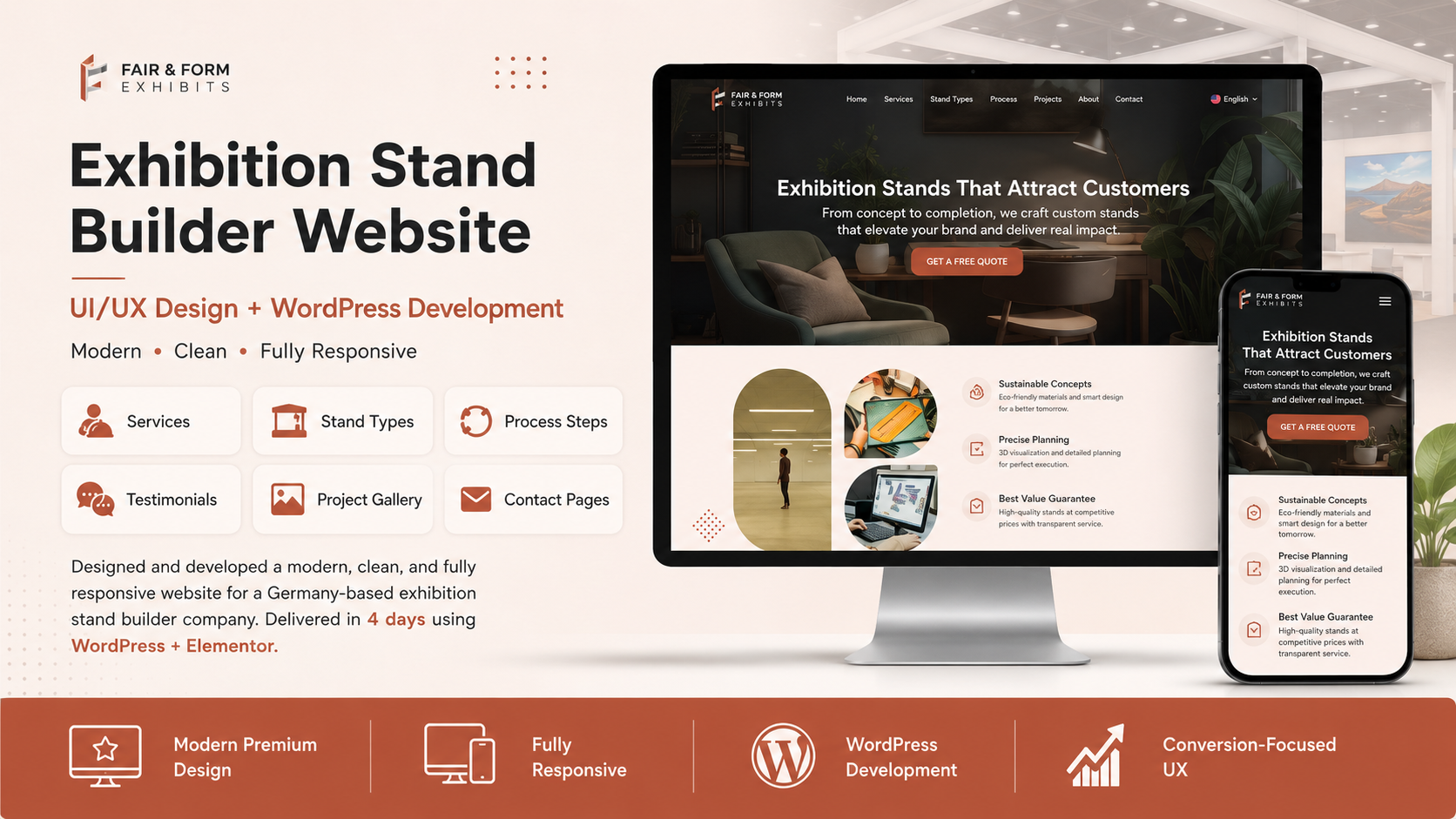
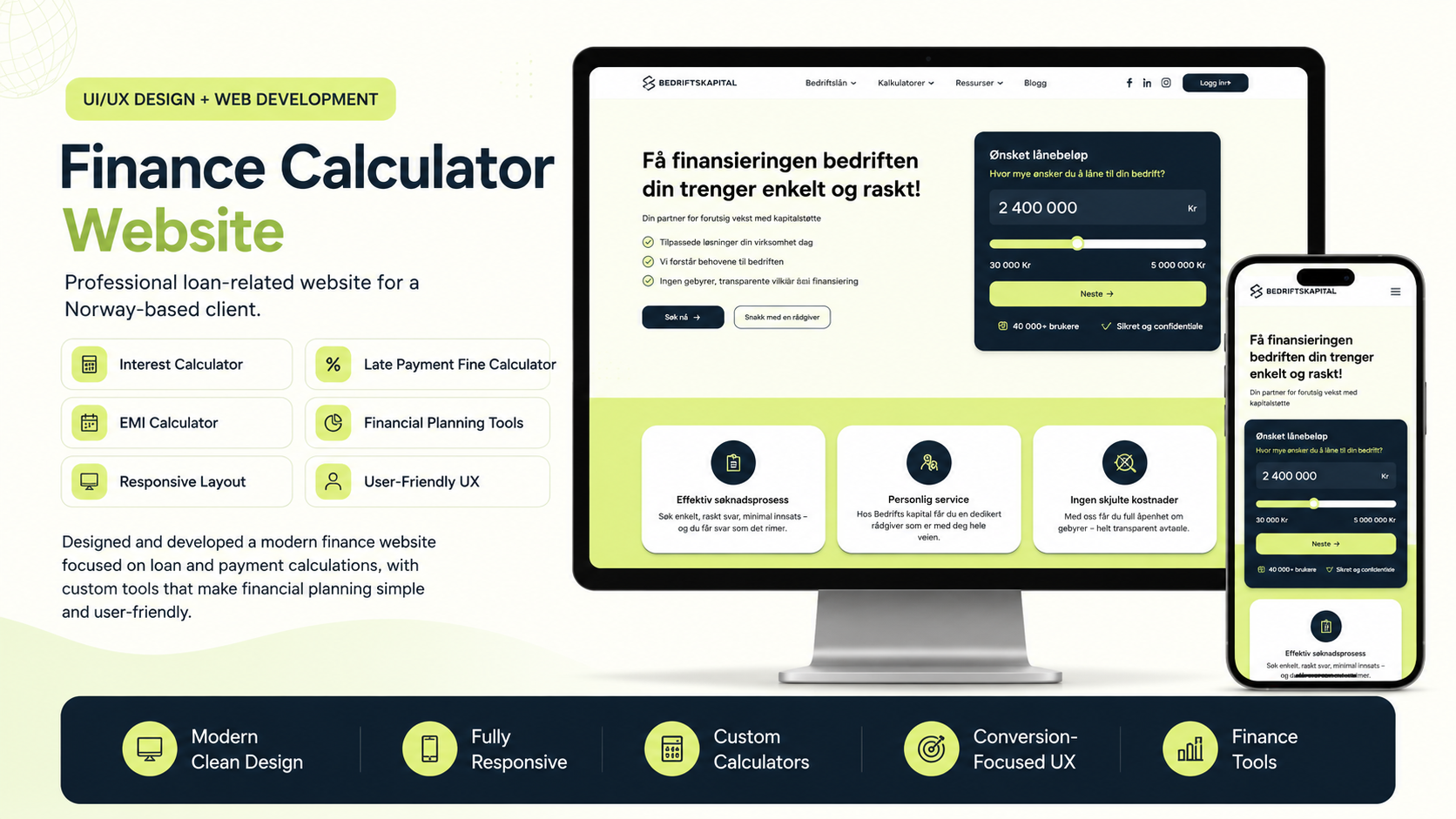
Featured Projects
Real design work delivered for clients worldwide.

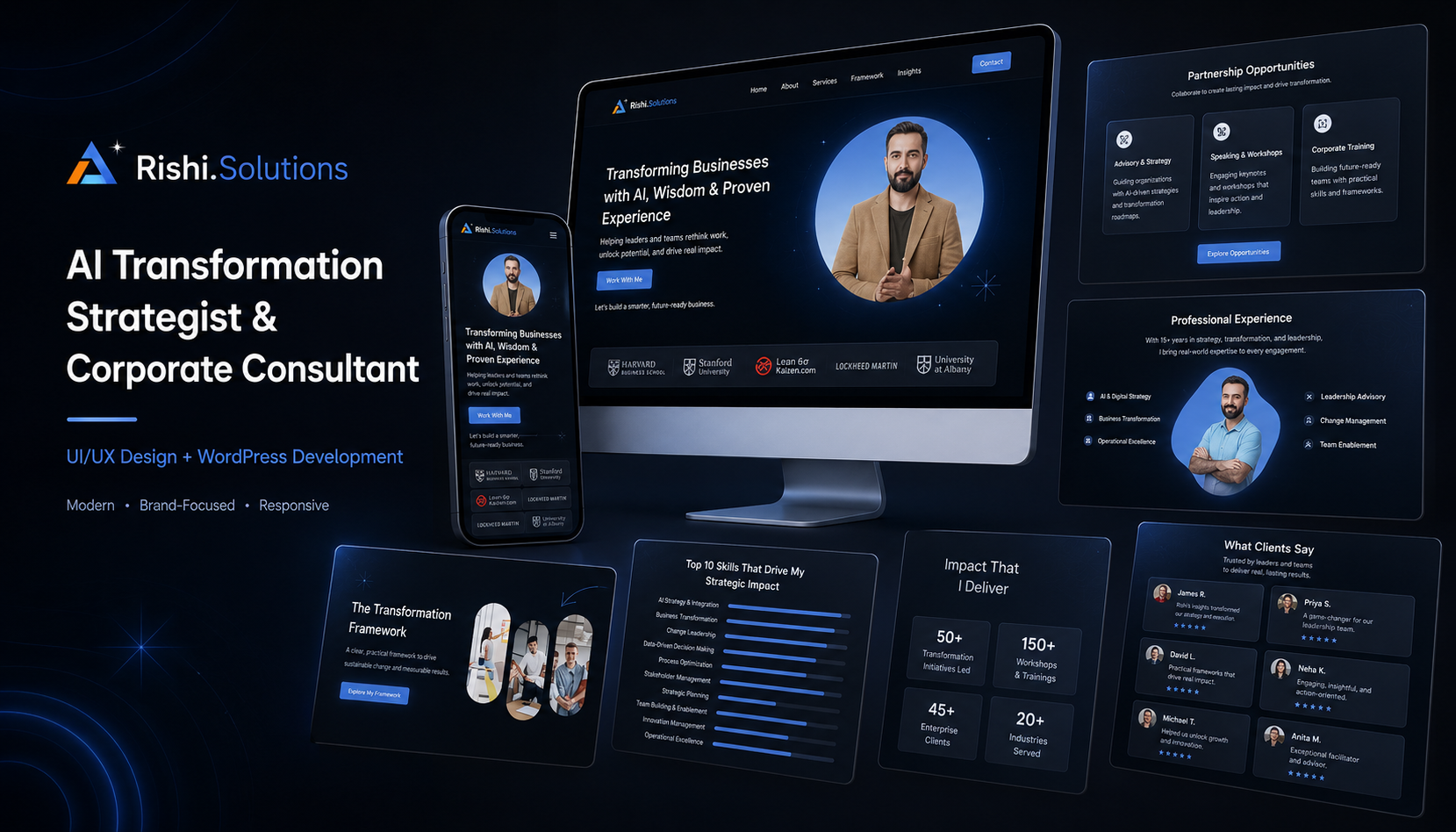
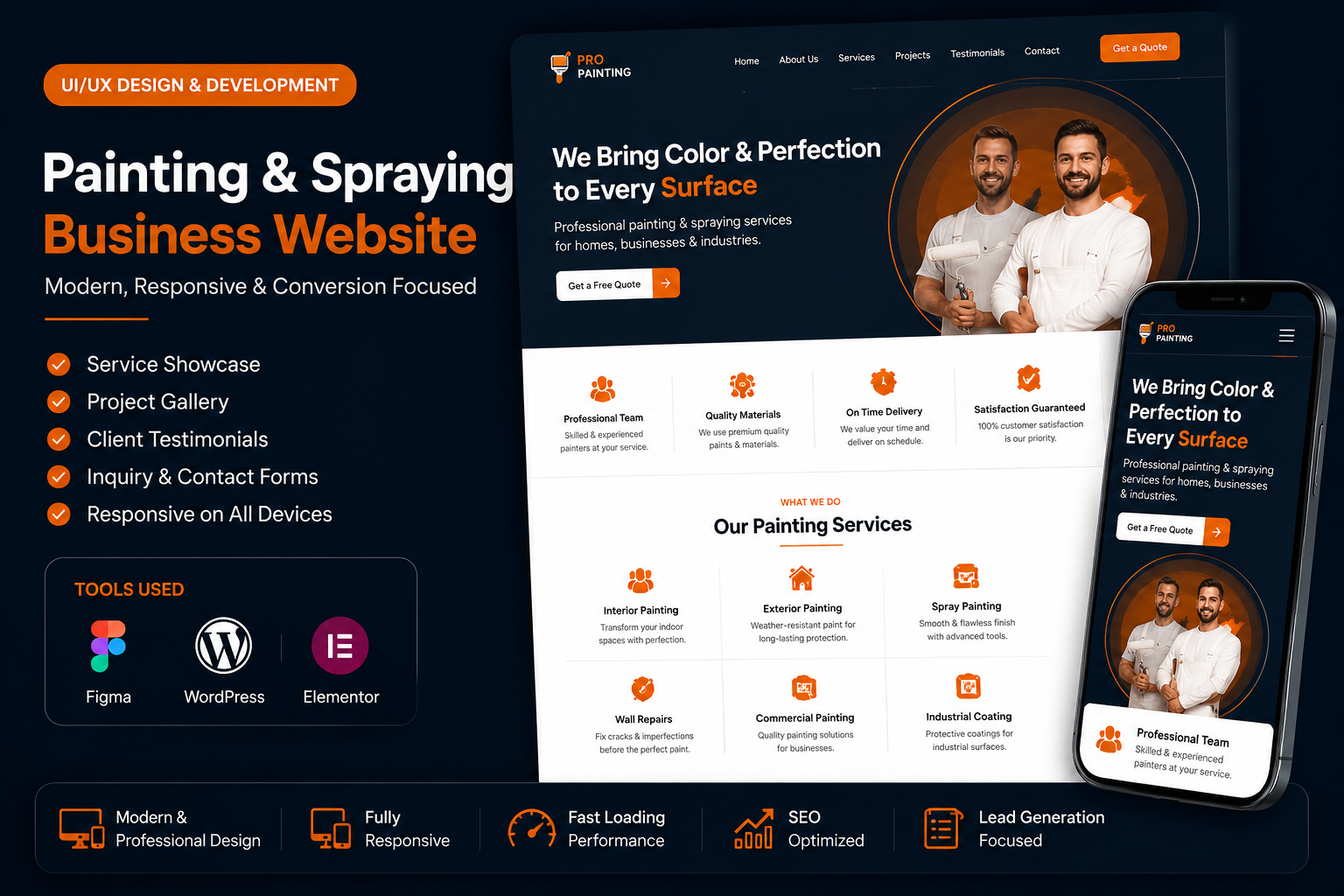
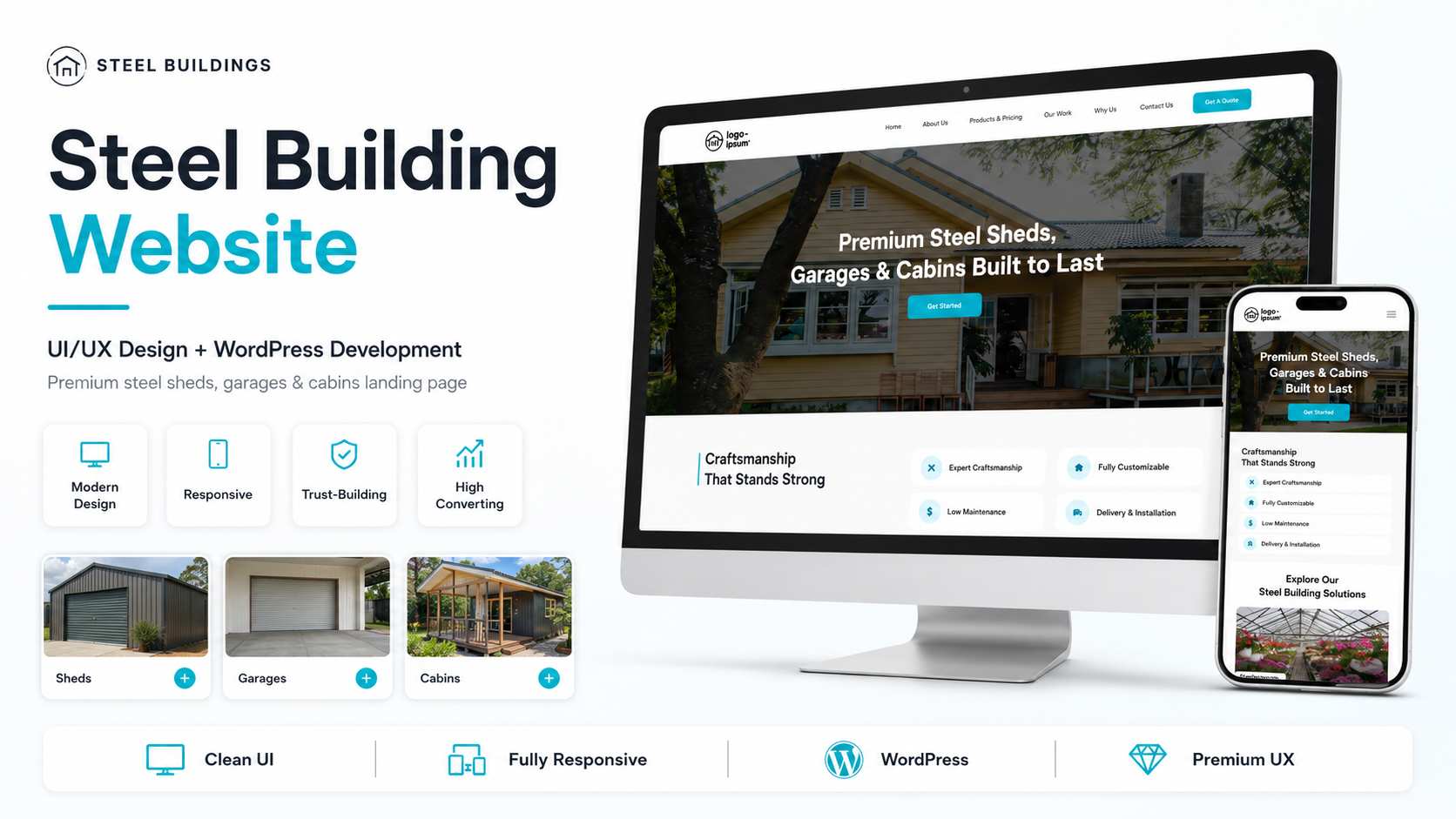
What Clients Say
“LogicDigger completely rebuilt our real estate platform from the ground up. The team dug deep into our complex data requirements and delivered a solution that increased investor engagement by 280%. Their technical depth is remarkable.”
Rajesh Kapoor
Founder & CEO, PropFlow
“The e-commerce platform LogicDigger built handles 10K+ weekly orders without breaking a sweat. Their team's expertise across frontend, backend, and DevOps made the entire process seamless. Cart conversions up 40%.”
Amanda Torres
COO, NourishBox
“Working with LogicDigger was a turning point for our startup. Their design team increased our user onboarding rate by 156%, and the engineering team shipped every sprint on time. Having a dedicated cross-functional team made all the difference.”
David Kim
Head of Product, TaskNest
“Our telehealth portal handles sensitive patient data flawlessly. LogicDigger's team understood HIPAA compliance from day one and built a platform that 30+ clinics now rely on daily. Patient satisfaction scores jumped to 4.8/5.”
Dr. Priya Sharma
Director of Digital Health, MediConnect
“LogicDigger delivered our EdTech platform ahead of schedule with exceptional quality. The adaptive learning engine they built personalized content for 25K+ students in just 6 months. We couldn't have asked for a better technology partner.”
Marcus Chen
CTO, BrightPath
Our Tech Stack
The tools and technologies our team uses to bring ambitious ideas to life.
Frontend
Backend
DevOps
Design
Automation
Let's Work Together
Have a project in mind? We'd love to hear about it. Send us a message and our team will get back to you within 24 hours.